NNERB turns your daily activity into clean financials. Create invoices in a few clicks, track what’s been paid, and understand your revenue without downloading a single spreadsheet. No more guessing — just clear numbers that match how you actually run your business.
The Financial Hub pulls together invoices, payments, credits, and discounts into a single dashboard. Instead of jumping between tabs or apps, you see how much you’ve earned, what’s still owed, and which clients need a nudge — all in one place.
Build one‑time or recurring invoices, apply multi‑student or multi‑class discounts, and categorize your billing so reporting stays clean.
Let clients pay securely online, or simply record payments when they pay by cash, bank transfer, or cheque — even if you haven’t set up a payment gateway yet.
See who’s paid, who still owes, what’s been refunded, and how credits were applied — with a full history behind every number.
The Financial Hub follows the same flow you showed in your demo video: from creating an invoice to the moment the payment hits your records.
Choose the payer, add enrolled students or programs, apply discounts or credits, and confirm the total. When you hit “Finalize & Send,” NNERB also generates a clean PDF for the client.
Your client gets a branded email with the invoice attached and clear instructions on how to pay — online or offline. You don’t have to paste anything into your own email client.
If you’ve connected a payment gateway, clients can pay on the spot. If not, just record the payment when they send a bank transfer, pay in person, or use any other method. Either way, the invoice is updated and your reports stay accurate.
Receipts are generated and tied back to the invoice, and the client’s balance is updated in their financial summary. You can always see exactly what was paid, when, and by whom.
The Financial Hub gives you a high‑level view of how your business is performing — and the details to back it up when you need them.
Example Financial Hub dashboard showing revenue trends, outstanding invoices, and payments received.
See unpaid invoices grouped by how long they’ve been outstanding so you can prioritize follow‑ups.
Filter by date, program, or client to see every payment recorded — whether online or manually entered.
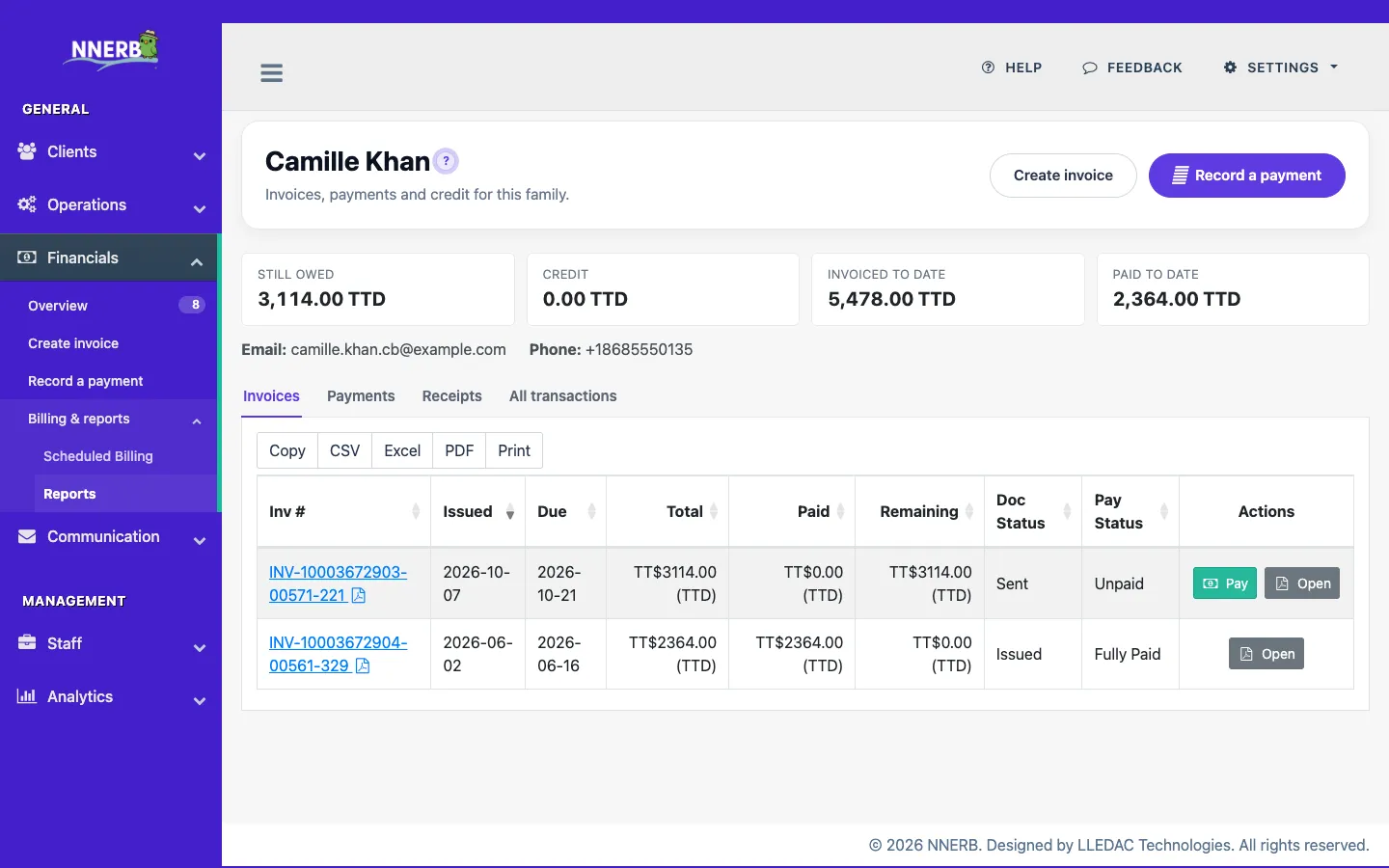
Open a single client and see their full financial story: invoices, receipts, credits, refunds, and current balance in one clean view.
Once your Financial Hub is set up, NNERB can handle the repetitive follow‑ups and sending for you — especially around invoices and enrollments.
Set gentle reminders to go out before and after due dates. NNERB emails clients with their outstanding invoice details so you don’t have to draft the same message over and over.
When a client’s enrollment is confirmed, NNERB can automatically generate and send the invoice tied to that enrollment. No manual “remember to bill them later” — it’s done for you.
When a payment is recorded, NNERB can send a receipt email so families always have proof of payment without you hunting for templates.
Most finance tools assume you’re selling simple products. NNERB was built for tutoring, coaching, and classes — where families, students, and sessions all need to line up with your payments.
Stop guessing what’s been paid and what’s overdue. Start using a Financial Hub that was designed for how you actually teach, coach, and run programs.
Get a live demo