Deliver a Client Experience That Builds Trust.
Give families a clean portal for schedules, balances, and progress while your team manages everything from one shared client record.
Give families a clean portal for schedules, balances, and progress while your team manages everything from one shared client record.
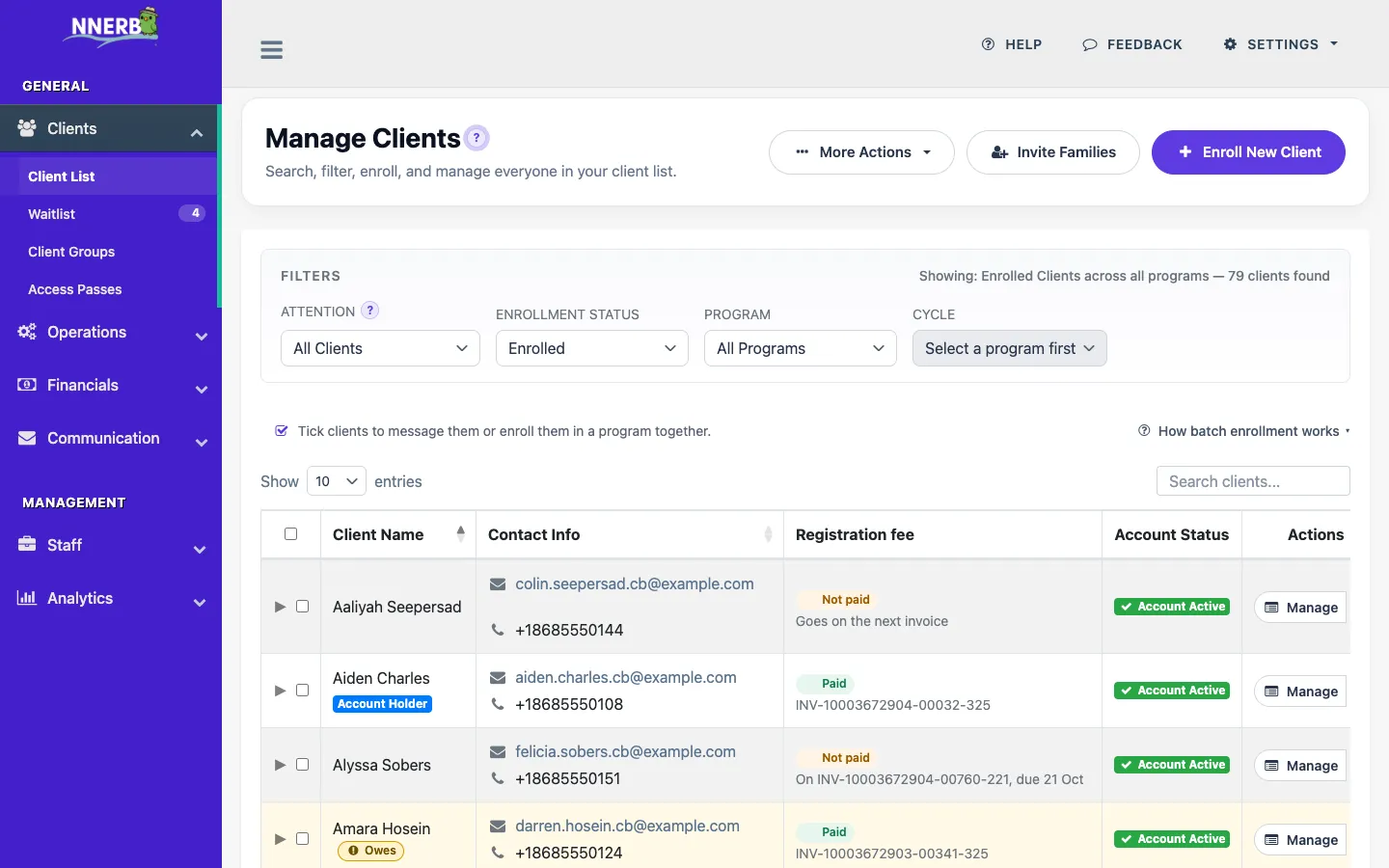
Stop digging through old forms and chat threads. Pull up contact details, enrollments, and linked guardians instantly.
Track milestones and achievements so families see clear value from every term and every class.
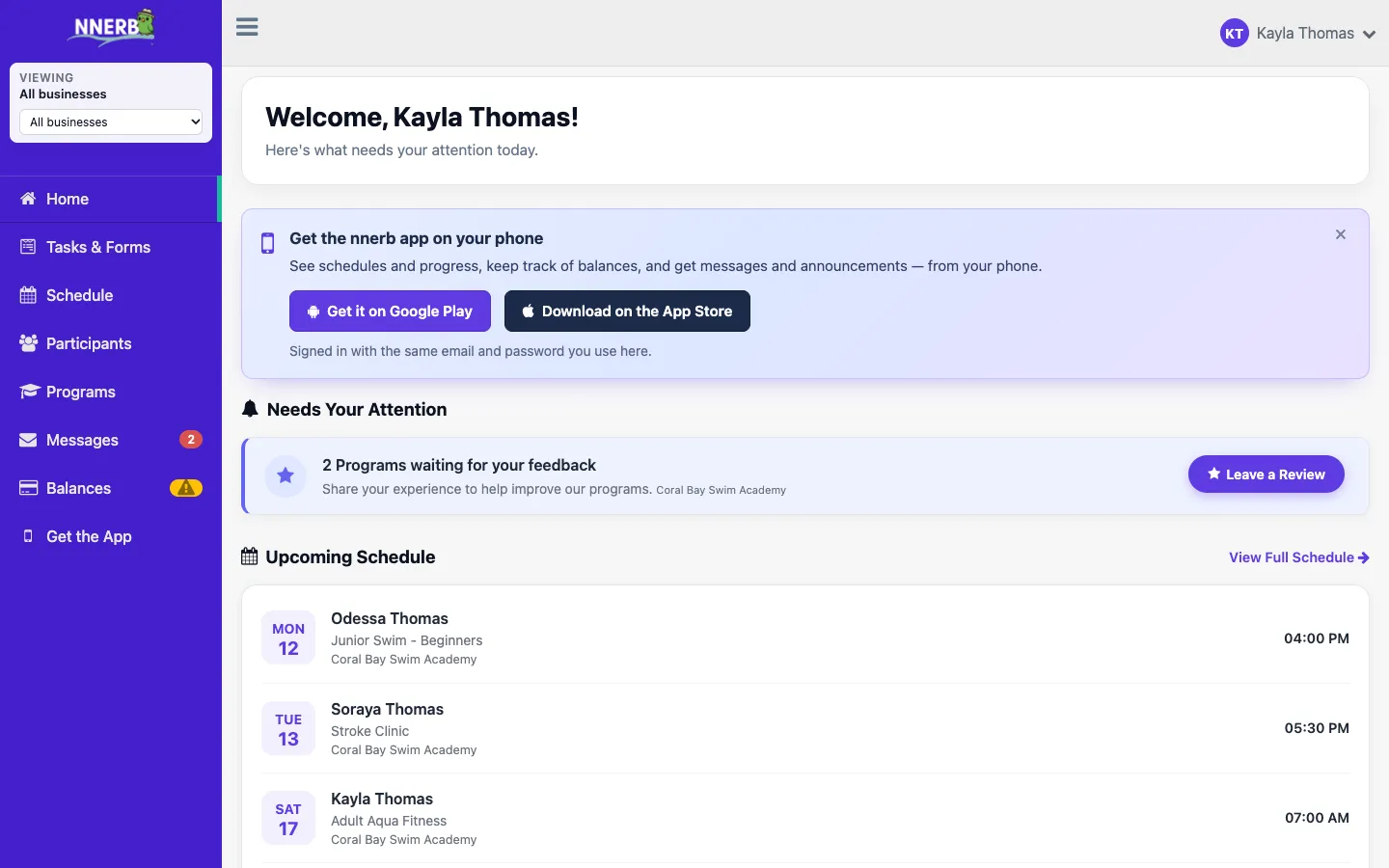
Let families check schedules, balances, and progress without waiting on your staff for routine updates.
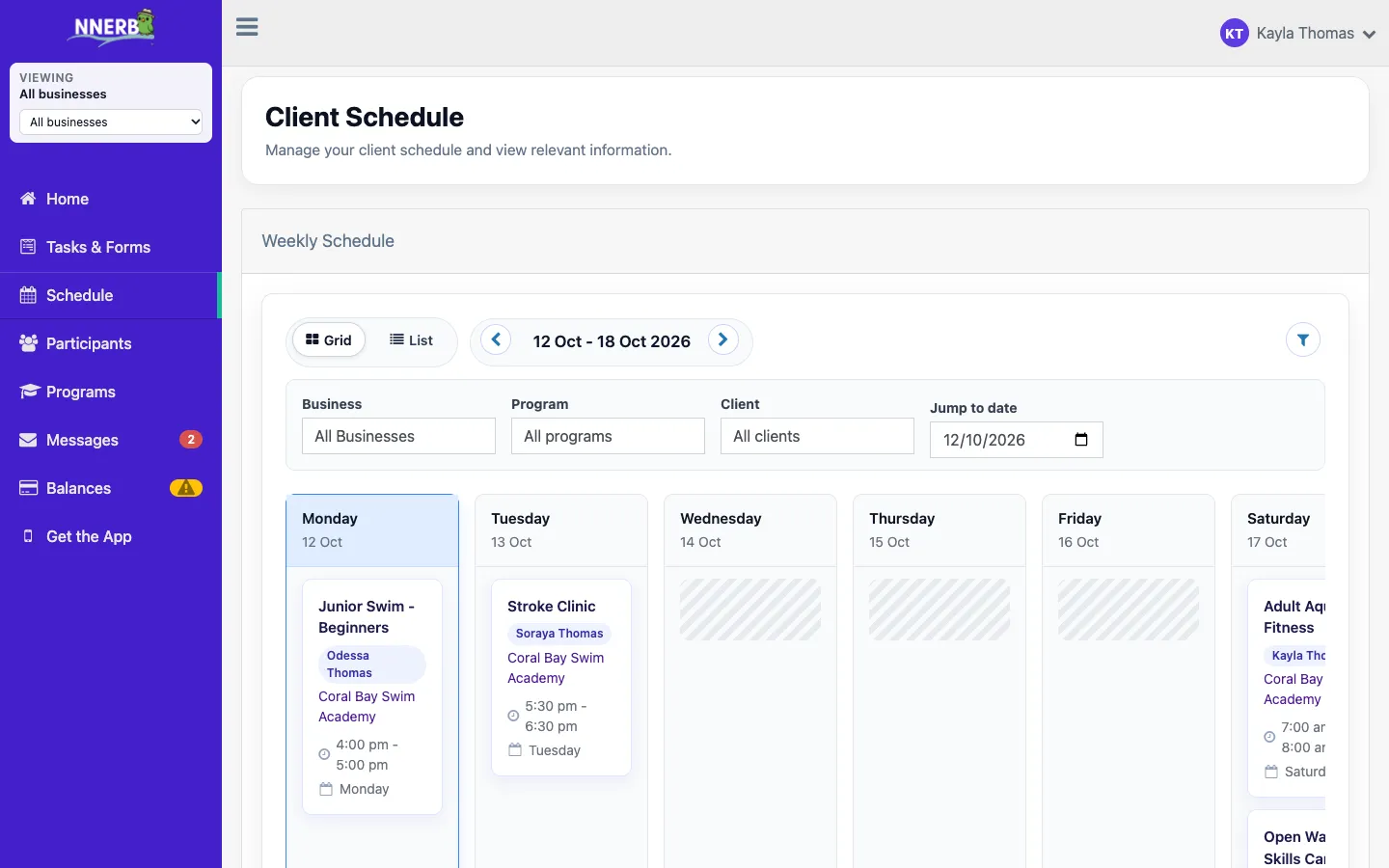
Families get the nnerb client app on iPhone and Android, plus the web portal. A parent whose children are with more than one business on nnerb signs in once and sees them all together.
See how one app covers every class a family takes · Get the app
Families register online through a guided form that shows its progress, then you review the application in your dashboard. Embed it on your own website or share the hosted page.
Guardians and children stay connected in a household, so a second parent or a repeat registration does not turn into a second contact entry. If a household needs tidying, Household Review lets you merge it into the family's main household.
See the enrollment and waitlist workflow · Import from Excel
Yes. Upload an Excel or CSV file, map the columns, and the revamped import wizard validates the data and shows you a preview before anything is saved — see how migration works. No re-typing records by hand.
Yes. NNERB keeps one clean record per family: guardians and children are connected in a household, with enrollment history and balances visible together instead of split across separate contact entries.
Yes. Add custom questions to any program, as short text, long text, a number, or single or multiple choice, and ask them once per child or once per family. Families answer them in the registration form, which has six steps and a review screen before they send it.
Yes. The nnerb client app for iPhone and Android is free for families and uses the same login as the web portal. A parent with children at more than one business on nnerb sees them all together and can filter to one, and can invite another guardian by sharing a private invite link.
When you import a list, NNERB checks for likely duplicates and lets you link to the existing record, update it, skip the row, or create a new one. Household Review lets you merge a flagged household into the family's main household, so one family doesn't become three contact entries.
Related: import from Excel · communications · billing & payments · get the app · pricing
Start your free trial and deliver a smoother experience for families and staff.

The all-in-one platform for class and activity providers to manage scheduling, clients, payments, and communication effortlessly.