Can my staff have their own logins and permissions?
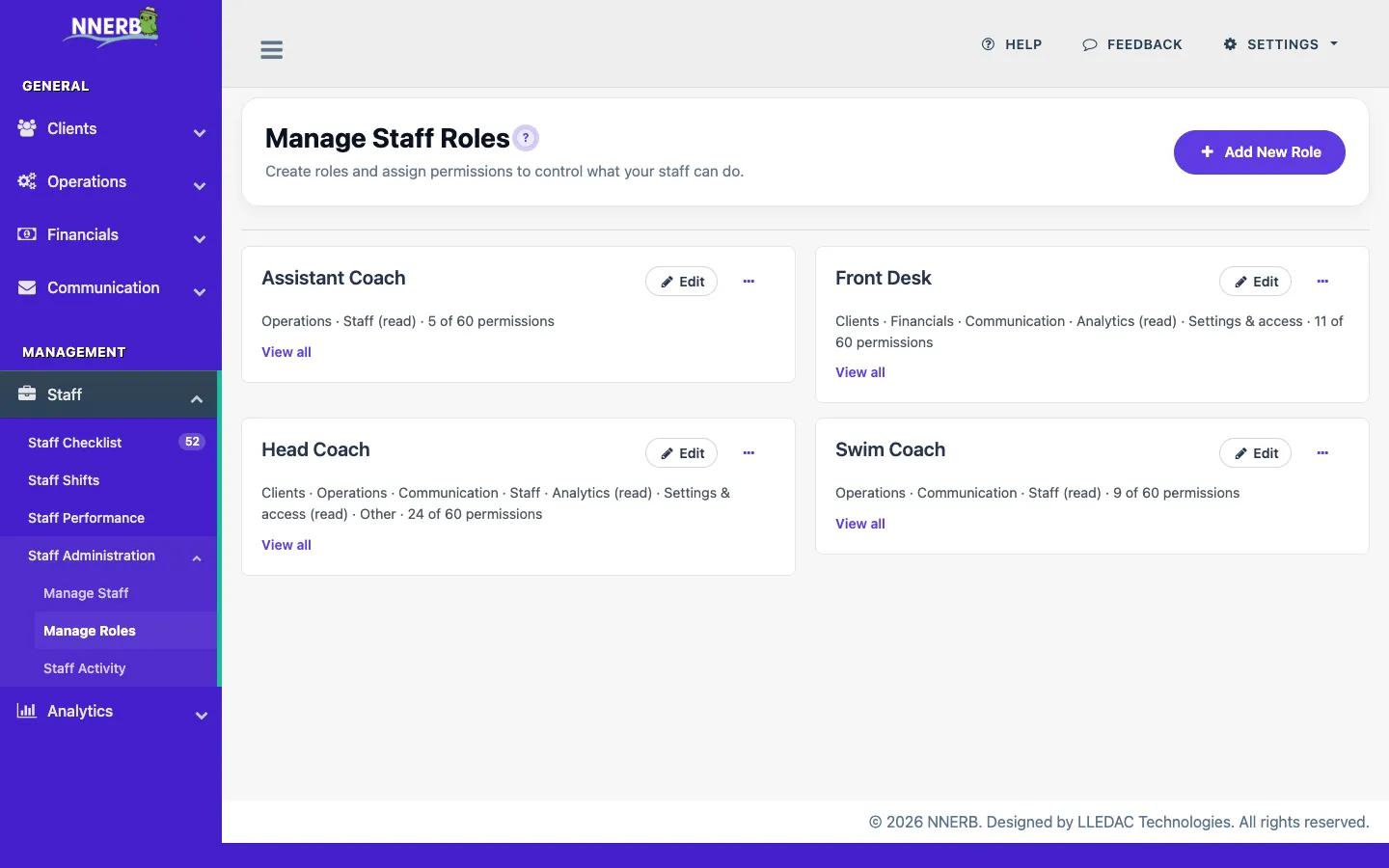
Yes. Staff get their own accounts with per-person permissions. Assign staff to programs and clients, and let staff view their own schedule, on the Professional plan; staff documents, instructor-impact analytics, shift planning, and the staff activity/audit log are part of the Ultimate plan. Open shifts and approved swaps are currently available on Ultimate. Clock-in and attendance approvals are currently available on Ultimate.
Is there a check-in kiosk for attendance?
Yes. A self-service attendance kiosk lets students check in on arrival. See the 60-second kiosk demo. Ultimate businesses can also issue printable ID or membership cards, NFC tap cards, and QR passes, then scan them for check-in with the kiosk app, including scan logs and a lost/replacement flow.
How does the waitlist work when a seat opens up?
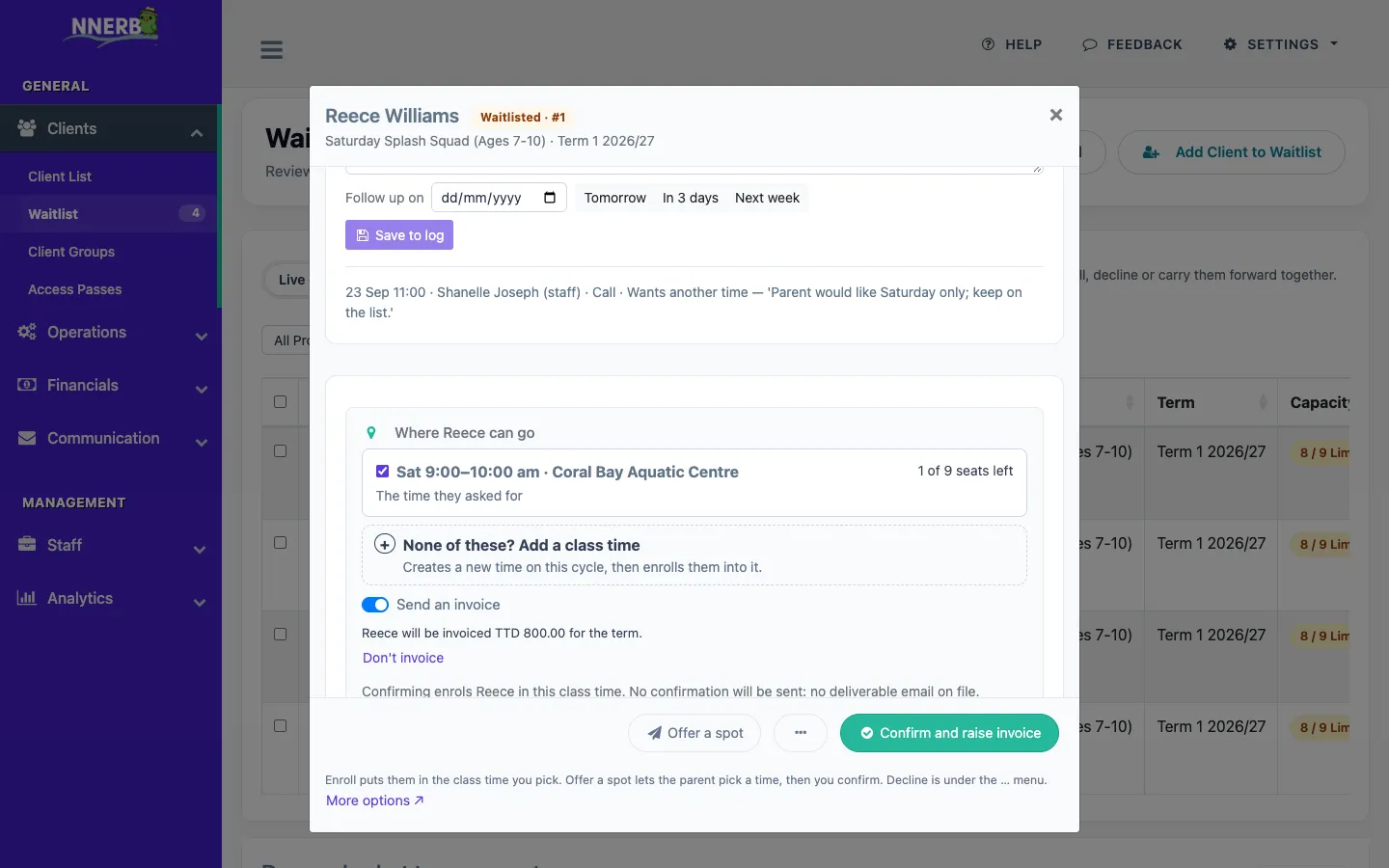
When a class is full, families can join the waitlist. When a seat frees up, a Freed seats panel shows who is next in line, and nothing is offered automatically. Staff can enroll the child in the class time they pick, deciding on the spot whether to invoice, with an Undo, or offer a spot: choose up to three class times, the family picks one from a link, and staff confirm. Waitlist management is on every plan; enrolling with an invoice needs Growth, and messaging an offered spot needs Professional.
Can I plan lessons in NNERB?
Yes. Ultimate businesses can build lesson plans with activities and templates, and connect planned lessons to the classes that deliver them.
Can NNERB run under my own brand and domain?
Yes. Ultimate businesses can use their own domain and branding for client-facing pages. See our messaging options.