Bulletproof Scheduling That Protects Revenue.
Coordinate classes, attendance, and staff in one calendar so missed sessions and billing disputes stop draining your team.
Coordinate classes, attendance, and staff in one calendar so missed sessions and billing disputes stop draining your team.
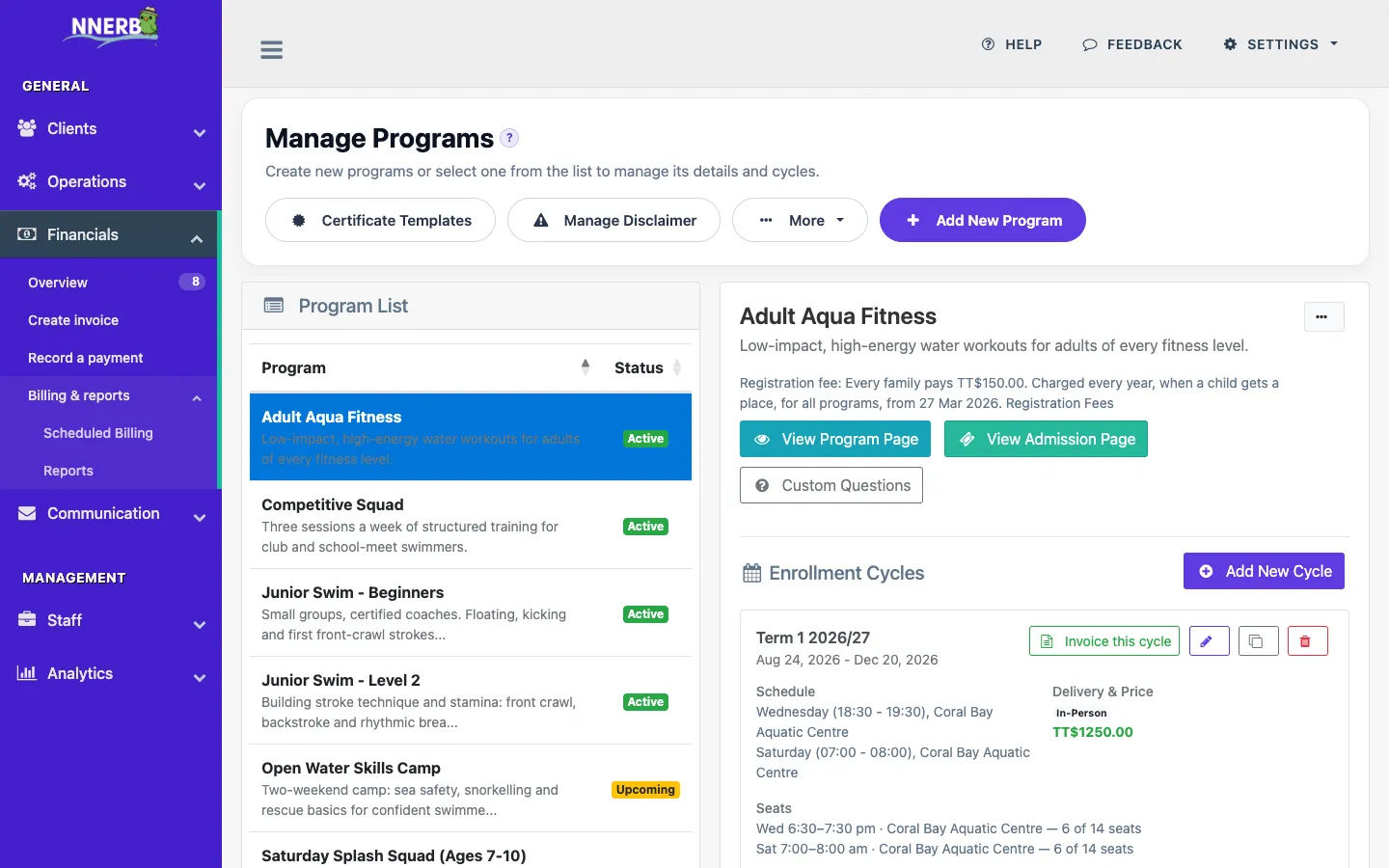
Create your structure once, duplicate it when needed, and publish schedules without rebuilding from scratch every cycle.
Capture attendance in real time so your team and your clients can clearly see what was attended, missed, or rescheduled.
Attendance tracking is available on the Growth plan. The self-service kiosk is available on the Professional plan.
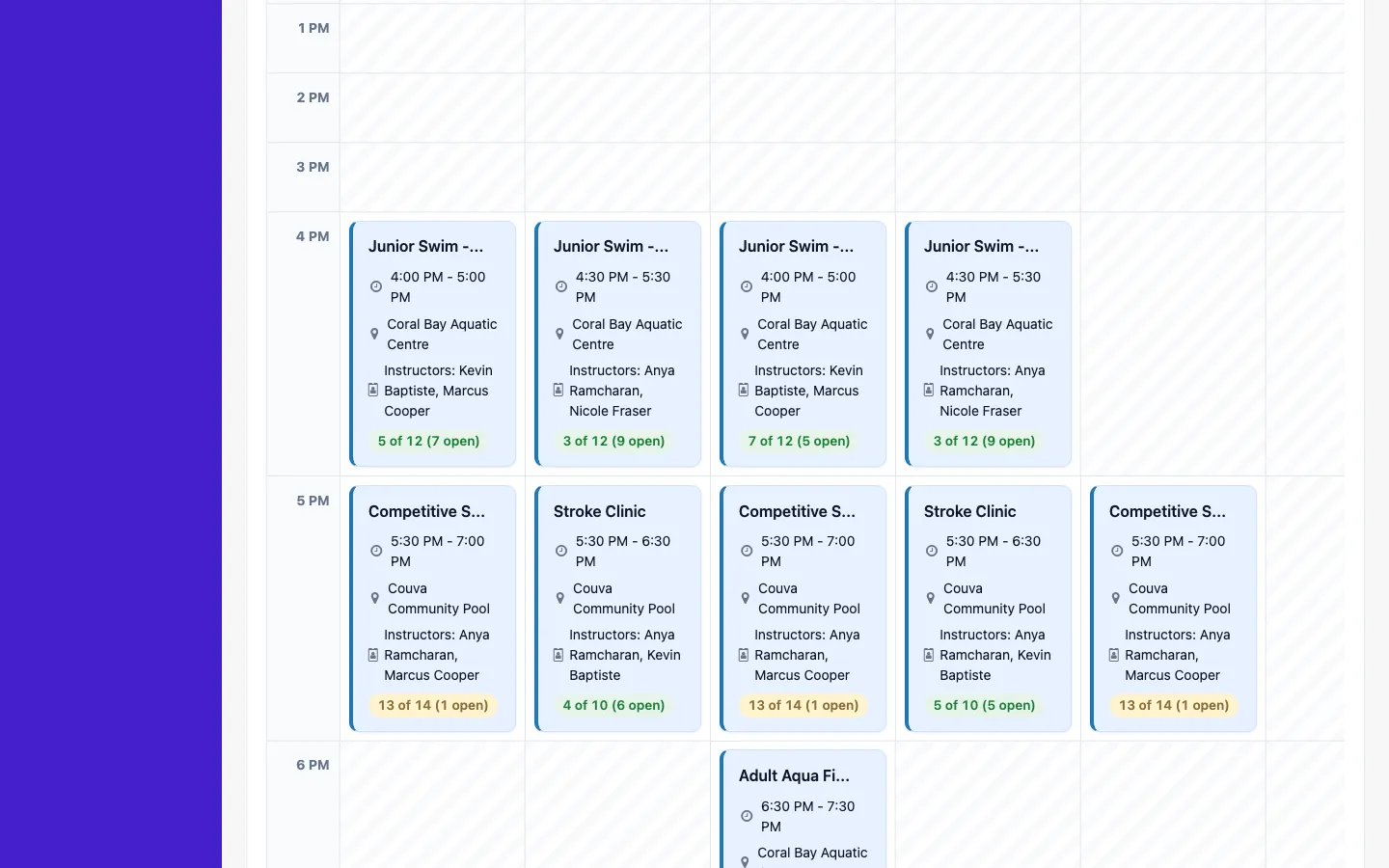
Stop toggling between calendar tools. See classes, staff allocation, and client schedules in one place.
The week calendar and client schedules are available on the Growth plan; staff schedules are available on the Professional plan.
Yes. Build recurring schedules organized into terms, add holiday blackouts and one-off exclusions, and set per-class capacity limits — the calendar, rosters, and billing all stay in sync.
Yes. When a class is full, families can join a waitlist. When a seat opens up, staff choose who gets it: enroll the child in the class time they pick, deciding on the spot whether to invoice, or offer a spot and let the family pick from up to three times. Nothing is offered automatically. Offering a waitlisted client a spot is available on the Professional plan.
Yes. You can publish public program and schedule pages, and enrolled families see their own upcoming sessions in the client portal.
Yes. Locations are first-class in NNERB: assign classes to venues and manage location-specific schedules from one account.
Related: billing & payments · staff & operations · waitlist to enrolled · attendance kiosk · free attendance sheet generator · pricing
Start your free trial and run scheduling, attendance, and makeups with less friction.

The all-in-one platform for class and activity providers to manage scheduling, clients, payments, and communication effortlessly.