Parents of swimmers, dancers, gymnasts and martial artists want to know two things: did my child go, and are they getting better? nnerb puts both answers in front of them, with skill trend charts for the child and cycle-aware analytics for your team.
Progress only helps when it is recorded in the moment and seen by the people paying for it. These three pieces connect the two.
Save the register, then record skills for the learners who were there, in the same flow, on the web or in the staff app.
Parents see classes attended, skills achieved, the latest coach note and the next class, and get a notification when something changes.
See who is progressing, which skills hold learners back, and how this cycle compares with the last one.
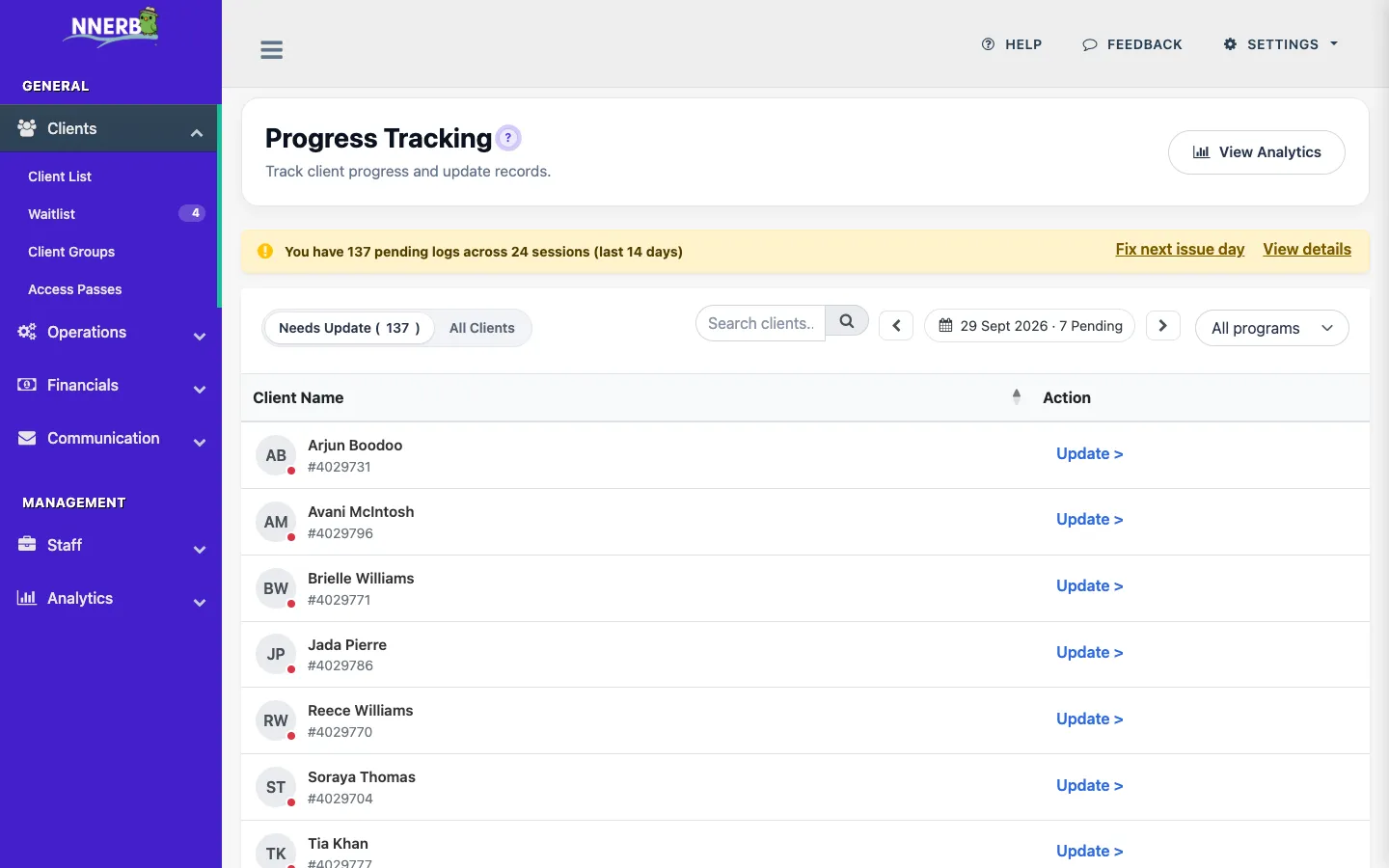
When a coach saves a register on the web session card or in the staff app, nnerb asks whether to record progress for the learners who were present. Say yes and the same roster reopens as a progress sheet.
Plans: attendance is on Growth and above. Recording progress is on Professional and above.
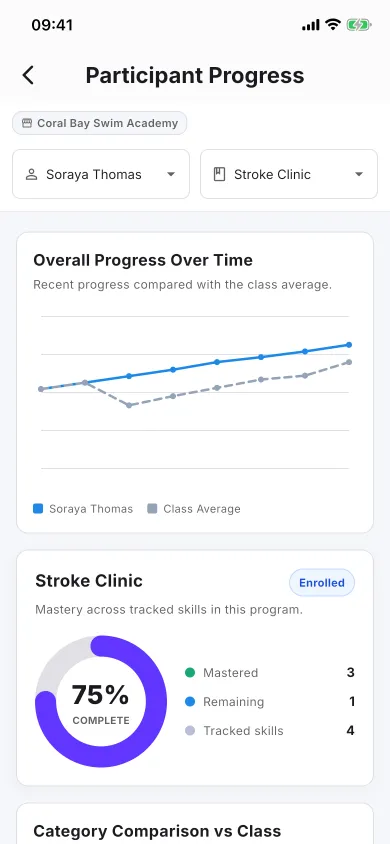
The child's progress in the client app.
Parents see a "this term" summary for each child, built from what your coaches already recorded. Attendance and skills sit side by side, with no claim that one caused the other.
Families get the apps from the Get the app page.
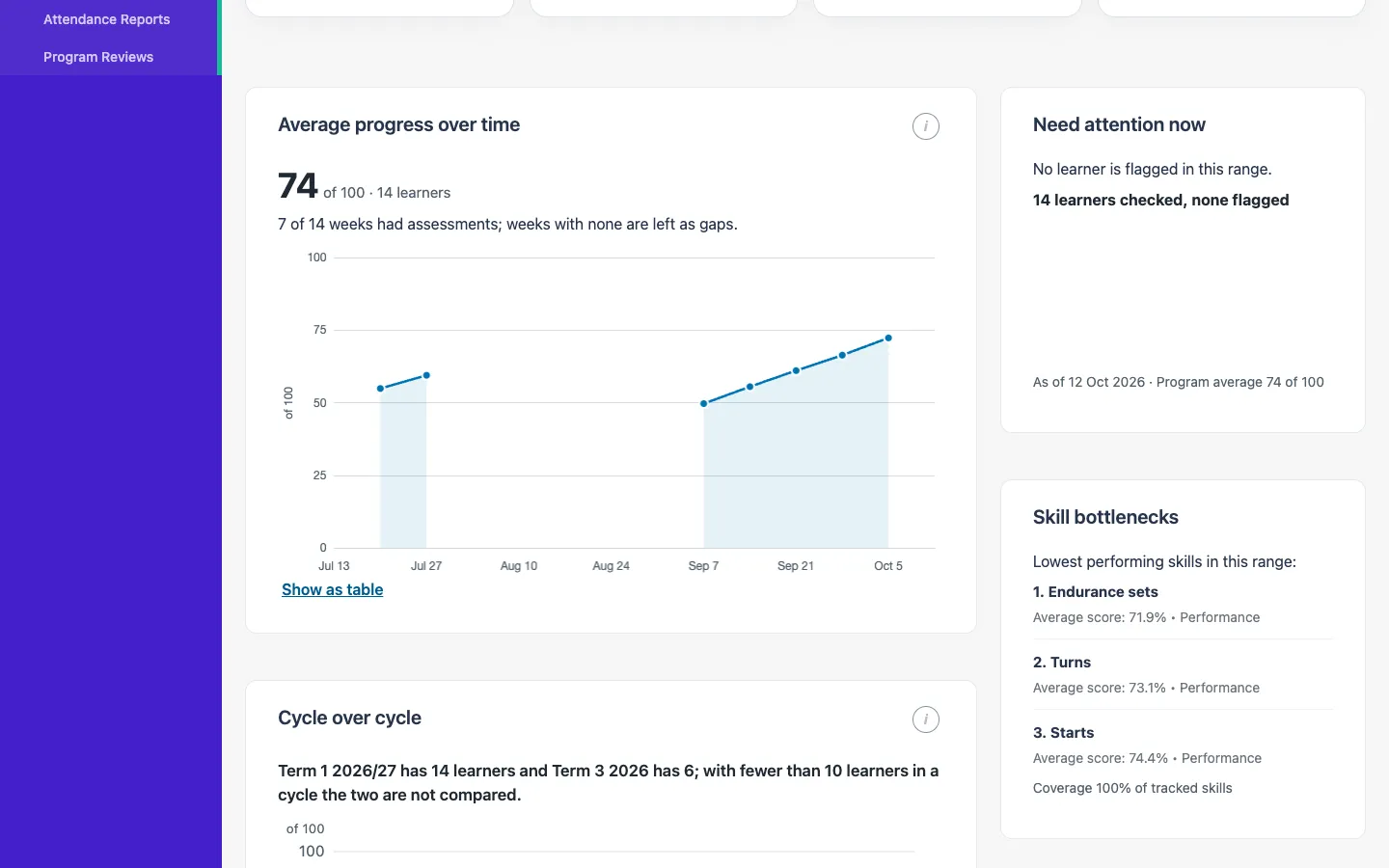
Progress analytics follows your terms. Choose a cycle and the page shows what happened in it, counting each learner once.
Progress analytics for a program, cycle by cycle.
Plans: the progress pages and analytics are on Professional and above.
Notifications are sent only when there is something to say, so parents keep reading them.
When a learner is marked absent or late, their parents are told. Present, excused and cancelled marks stay silent.
When a recorded progress value actually moves, the notification names the skill and level. Saving the same value again does not notify again.
A parent with two children on the same roster gets one notification for the save, not one per child. It arrives as a push notification and an in-app message in the client app, and you can switch each channel off in your account settings.
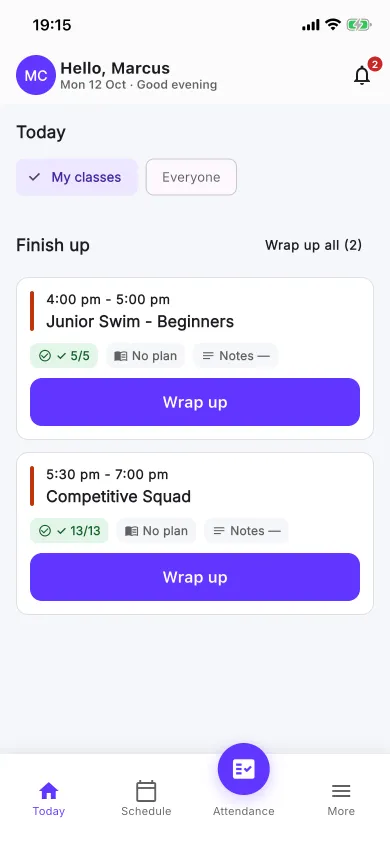
Finish up and wrap up from the staff app.
The staff app opens on Today. Coaches take attendance, record progress for the learners present, and close out classes without going back to a desk.
Plans: the staff app is on Professional and above, on Android and iPhone. Store links are on the Get the app page.
Coaches do what they already do. The sharing is a side effect.
Build your skills and levels once in the progress builder, per program.
Save the register and accept the offer to record progress for the learners who were present.
The child's term updates in the portal and app, and parents are notified of absences, late arrivals and moved skills.
Open progress analytics at the end of a cycle to compare it with the last, and see where learners are stuck.
If your parents ask "how is my child doing?", this is the answer you can give without a spreadsheet.
Track strokes and water skills by level, and let parents see which skills their swimmer has achieved this term.
Record technique and routine skills class by class, and share the coach's note with the family.
Follow apparatus skills across a cycle and spot the skills that hold a group back.
Record the skills a student has shown in class and chart their progress between gradings. Your own grading decisions stay with you.
No. After a coach saves a register on the web session card or in the staff app, nnerb offers to record progress for the learners who were present. The same roster reopens as a progress sheet showing only the present and late learners, with each learner's skills at their own current level, one scale chip per skill and a one-line note.
A parent signed in to the client portal or the client app sees the child's term: classes attended out of classes held, skills achieved this cycle and in total, the latest coach note and the next class. The portal progress page also shows trend charts, skill trends you can compare over time, and a cycle-by-cycle table. What each guardian can see depends on the access your business gives them.
A parent is notified when their child is marked absent or late, and when a recorded progress value actually moves. Present, excused and cancelled marks stay silent, and a parent with two children on one roster gets one notification per save instead of one for each child. Notifications arrive as a push notification and an in-app message in the client app, and each channel can be switched off in your account settings.
Taking attendance is on Growth and above. Recording progress, the progress pages, progress analytics and the staff app are on Professional and above. Parents use the client portal and client app with their own login, and absence notices follow attendance while progress notices need progress recording.
Progress analytics is cycle-aware. Pick a cycle and the date range follows it, and the page reports skills at passing level, skills gained this cycle, time to pass a skill, a cycle-over-cycle comparison for your last six cycles, skill bottlenecks and the learners who need attention. Each learner is counted once, and comparisons are held back when a cycle has too few learners to compare fairly.
Yes. The staff app opens on Today, lists finished classes under Finish up, and lets a coach add a How did the class go? note to a class. When several classes have finished and their attendance is done, Wrap up all marks them wrapped without a note after one confirmation, and notes can still be added later.
Every new business starts with a 30-day trial of the full platform, then moves to the Starter plan or the plan you choose.
Start your 30-day free trial See pricing